
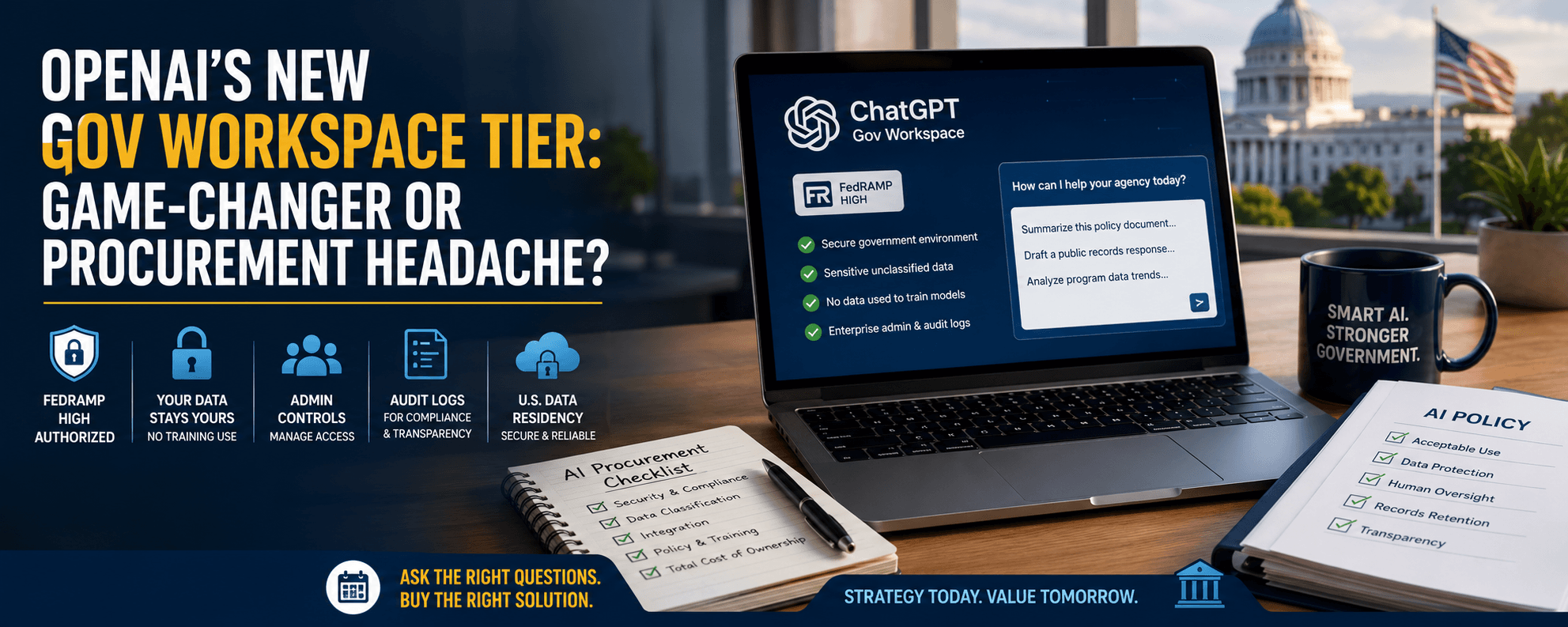
OpenAI's New "Gov Workspace" Tier: Game-Changer or Procurement Headache?
Last week, my phone started buzzing with the same question from three different city managers: "LaTonya, my IT director just got pitched OpenAI's new government workspace. Do we need it?"
If you haven't heard yet, OpenAI just rolled out a dedicated government tier of ChatGPT with FedRAMP High authorization — the highest federal security standard for cloud services. Vendors are already flooding municipal inboxes with proposals, demos, and "limited-time" pricing.
Here's my honest take, written for the department heads who have to actually approve these contracts. I'll walk you through what this product really offers, what it costs, and the exact questions to put on your IT director's desk before anyone signs a thing.
What is OpenAI's Gov Workspace and who is it actually for?
Quick Answer: Gov Workspace is a version of ChatGPT built specifically for federal, state, and local government use. It runs in a secured Microsoft Azure environment with FedRAMP High authorization, meaning it meets strict federal security requirements for handling sensitive (but not classified) government data. It's designed for agencies that can't use the standard public ChatGPT due to data handling rules.
In my experience working with government teams, the standard ChatGPT product has always created a compliance headache. Employees love it, but legal counsel panics about where data goes and who can see it.
Gov Workspace tries to solve that by offering:
- FedRAMP High authorization for sensitive unclassified data
- No data used to train models — your prompts stay yours
- Admin controls for managing user access across departments
- Audit logs that satisfy public records and security reviews
- U.S.-based data residency with restricted personnel access
This is genuinely useful — but useful doesn't always mean necessary for your agency.
What does Gov Workspace actually cost a city or county?
Quick Answer: OpenAI hasn't published flat pricing for the government tier. Most agencies will pay through enterprise licensing negotiated per seat, typically ranging from $60 to $100+ per user per month based on volume. On top of that, expect implementation costs, identity management integration, and training. A 50-person rollout can easily land in the $40,000–$75,000 first-year range.
The sticker price isn't the real story. What I've seen consistently with government AI rollouts is that the hidden costs catch teams off guard.
Here's what often gets left out of vendor quotes:
- Single sign-on integration with your existing identity system
- Staff training — without this, you're paying for software nobody uses correctly
- Policy development — acceptable use, data classification, records retention
- Ongoing governance — someone has to monitor usage and review logs
A common question I get from finance directors: "Can we just buy 10 seats and pilot it?" Yes — and honestly, that's smarter than a wall-to-wall rollout.
What three questions should you ask your IT director before signing?
Quick Answer: Before approving any Gov Workspace contract, ask your IT director these three questions: (1) Do we actually handle data that requires FedRAMP High, or would a lower tier work? (2) How does this integrate with our existing Microsoft or Google environment? (3) What's our data classification and acceptable use policy — and is it written down? If any answer is unclear, pause the purchase.
Let me break each one down.
Question 1: Do we need FedRAMP High? Most municipalities handle data that falls under FedRAMP Moderate or even lower standards. Paying for High when you don't need it is like buying a fire truck to water your flowers. Ask your IT director to map your actual data sensitivity before assuming you need the top tier.
Question 2: Will this play nice with what we already own? If your agency already uses Microsoft 365 with Copilot or Google Workspace with Gemini, you may already have a government-grade AI tool included or available at lower cost. Don't stack redundant licenses.
Question 3: Where's the policy? I've watched too many agencies buy tools before writing policies. Then the tool sits unused — or worse, gets misused — because nobody knows the rules. Policy comes first. Always.
How should department heads decide if this is right now or wait?
Quick Answer: If your agency handles sensitive resident data, regulated workflows, or federally funded programs, Gov Workspace is worth a serious pilot. If you're a smaller municipality doing routine work and your staff isn't yet trained on AI basics, wait six months. The product will improve, prices will compete down, and your team will be ready to actually use it.
In my experience, the agencies that succeed with new AI tools share three things: trained staff, written policies, and a clear use case. The agencies that waste money usually buy first and figure out the rest later.
A practical path forward looks like this:
- Month 1: Train your leadership team on AI fundamentals
- Month 2: Identify 2–3 specific workflows where AI would help
- Month 3: Write your acceptable use policy
- Month 4: Pilot with 10 users on the appropriate tier
- Month 5–6: Evaluate, adjust, then scale
What's the bottom line?
Gov Workspace is a real step forward for government AI access — but it's not automatically the right purchase for every agency. Match the tool to your actual data, your existing systems, and your team's readiness. The vendors will still be there next quarter.
Ready to train your team? If your department needs help building AI policy or evaluating tools like Gov Workspace, explore our government training programs.
LaTonya Koonce
Founder, GovAI Education Group · City of Lilburn Merit Award Recipient
LaTonya has trained government teams for 20+ years and specializes in plain-language AI education for public-sector professionals. Learn more →