
Your City Clerk Is Drowning in Public Records Requests — Here's How AI Is Helping
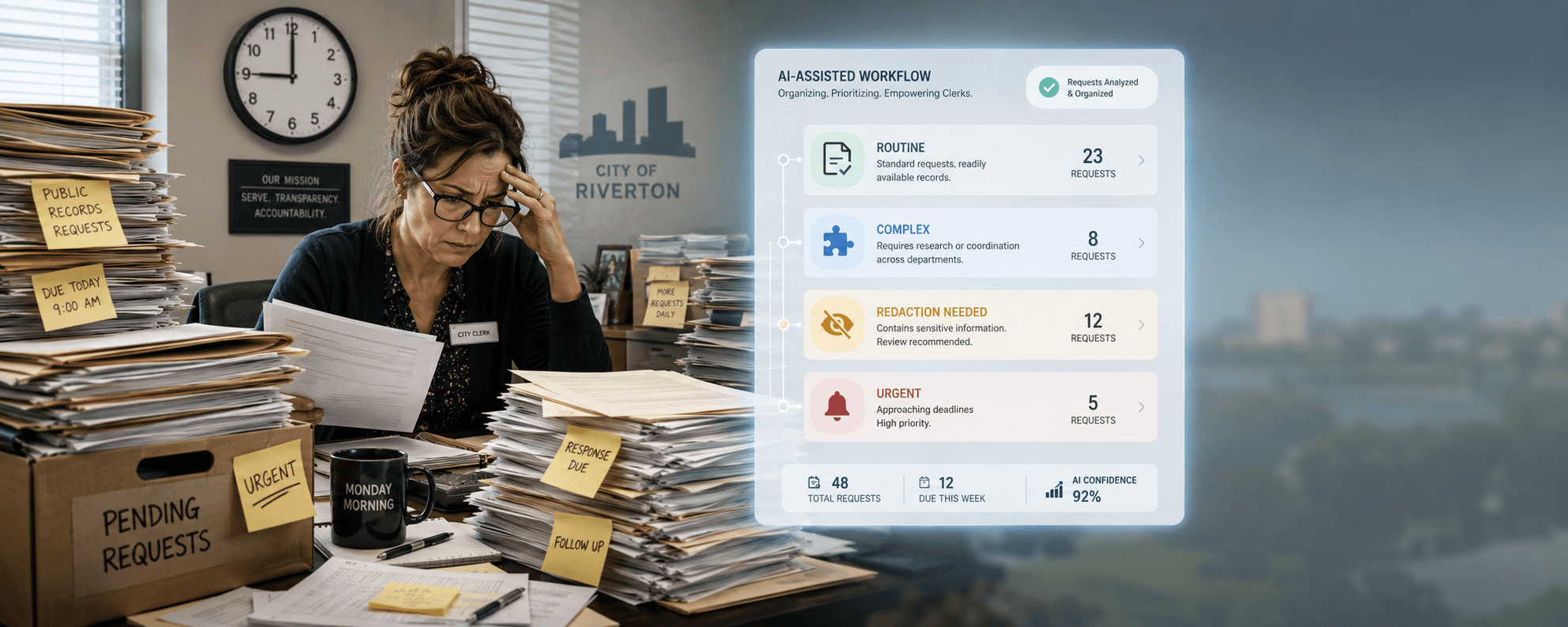
Picture this: It's Monday morning, and your city clerk walks into the office to find 47 new public records requests waiting. Some are routine. Some involve thousands of pages of emails that need careful review for personal information. And the legal clock is already ticking.
If this sounds familiar, you're not alone. Public records request volume has climbed steadily for years, while clerk's office staffing has stayed flat — or shrunk. The stakes are real: missed deadlines can mean lawsuits, fines, and headlines no mayor wants.
Here's the good news. Several mid-sized cities released case studies this week showing 40–60% reductions in records request backlogs after rolling out AI-assisted tools. I want to walk you through exactly what's working, what to watch for, and how your team can start small without blowing up your budget.
What exactly is AI doing for public records requests?
Quick Answer: AI tools are helping city clerks in three specific ways: sorting incoming requests by type and urgency, scanning documents to flag sensitive information like Social Security numbers, and drafting initial response letters. The clerk still reviews and approves everything — AI just removes the slow, manual first pass.
In my experience working with government teams, the biggest misunderstanding is that AI is making decisions. It isn't. Think of it as a very fast paralegal that reads every page, highlights what matters, and hands the file back to your clerk.
Here's where AI is delivering real wins right now:
- Triage: Sorting requests into categories (routine, complex, exempt) within seconds
- Redaction: Automatically flagging Social Security numbers, medical info, juvenile names, and protected addresses
- Drafting: Producing first-draft acknowledgment letters and fee estimates
- Search: Finding responsive documents across email, SharePoint, and shared drives in one query
How much time can AI actually save a clerk's office?
Quick Answer: Cities reporting results this week saw response times cut by 40–60%. A request that took 12 hours of staff time often drops to 4–5 hours, because the AI handles the first pass of document review. Complex requests still require human judgment — but the slow grunt work shrinks dramatically.
A common question I get from clerks is: "Is this hype, or is it real?" Based on the case studies I've reviewed, it's real — but only when the tool is set up correctly.
One mid-sized Midwestern city processed 312 requests last quarter using an AI-assisted redaction tool. Their average turnaround dropped from 18 days to 9 days. Their clerk told her council, "I'm not working less. I'm working on the right things."
That's the point. AI doesn't replace the clerk. It frees the clerk to do the legal review, the judgment calls, and the citizen communication — which is what they were hired for in the first place.
What sensitive information should AI never touch without human review?
Quick Answer: AI should flag — never finalize — redactions involving anything legally protected. That includes Social Security numbers, juvenile records, medical information, attorney-client communications, ongoing investigations, and personnel matters. A human reviewer must approve every redaction before release. AI is a first pass, not a final answer.
What I've seen consistently is that the cities getting in trouble are the ones who let the AI run unsupervised. That's a recipe for an open-records lawsuit.
Build a simple rule into your workflow: AI suggests, human decides. Every page leaving your office should have a staff member's eyes on it. The AI just makes sure those eyes aren't tired after page 400.
Also be careful about the tool itself. Free, public AI chatbots are not appropriate for government records work. You need a tool that:
- Keeps your documents on secure, government-approved servers
- Does not train its model on your data
- Provides an audit log of every action
How does a small clerk's office start using AI without a huge budget?
Quick Answer: Start with one task, not a full system overhaul. Pick your single biggest pain point — usually redaction or request intake — and pilot a tool for 60 days on low-risk requests. Measure time saved. Then expand. Most clerk offices can begin for under $5,000 with the right vendor.
Here's a step-by-step starter plan I recommend:
- Track your current numbers. Log how many requests you get monthly and average response time. You can't measure improvement without a baseline.
- Pick one workflow. Don't try to automate everything. Choose redaction OR intake OR drafting — not all three.
- Vet 2–3 vendors. Ask specifically about government data hosting, audit trails, and CJIS or state-specific compliance.
- Run a 60-day pilot. Use it on routine requests only. Keep complex or litigation-related requests out of the pilot.
- Train your team. Even the best tool fails without 2–3 hours of hands-on training per staff member.
- Review and adjust. After 60 days, compare your numbers. Decide whether to expand, switch tools, or pause.
What's the bottom line?
AI isn't going to replace your city clerk — but it is going to make the difference between a clerk's office that meets deadlines and one that drowns in them. The cities seeing 40–60% backlog reductions aren't using magic. They're using the right tool, on the right task, with human review built in.
Ready to train your team?
If your clerk's office is ready to explore AI tools the right way, our team can help you design a pilot that fits your size and budget.
LaTonya Koonce
Founder, GovAI Education Group · City of Lilburn Merit Award Recipient
LaTonya has trained government teams for 20+ years and specializes in plain-language AI education for public-sector professionals. Learn more →